App Store
PumpDash for iPhone
iOS 17 or later · Free
PumpDash for iPhone is in beta through Apple's TestFlight while it heads to the App Store. Use this button to ask for a beta invite.
Email buttons open your email app. You can also write to hopes@hopestinkery.com.
Before you install, make sure the pump uploads to Tandem Source* and, ideally, that Sugarmate is linked. See steps 1 and 2 of the install guide.
* Tandem, Tandem Mobi and Tandem Source are trademarks of Tandem Diabetes Care, Inc. PumpDash is not affiliated with or endorsed by Tandem Diabetes Care.
Get PumpDash
Once it's in the App Store, open the listing with the button at the top of this page and tap Get.
For the beta, install Apple's TestFlight app, then open the invite we send you and tap Install.
Open PumpDash and read the notice
The first screens welcome you and explain that PumpDash is not a medical device. Read the notice and agree to continue. You only see it once.
Connect Tandem Source*
- Tap Sign in with Tandem*. Tandem's* own sign-in page opens inside the app.
- Sign in with your Tandem Source* login. PumpDash never sees your password; the sign-in Tandem* returns is kept in the iPhone Keychain.
- Just looking? Tap Use a demo account to explore a simulated day with nothing connected.
Link Sugarmate if PumpDash asks
If your pump is only uploading about once an hour, PumpDash suggests linking Sugarmate by Tandem* so updates arrive about every 5 minutes. Tap Get Sugarmate or How to link it, then confirm once it's linked. You can change this later in Settings.
Find your way around
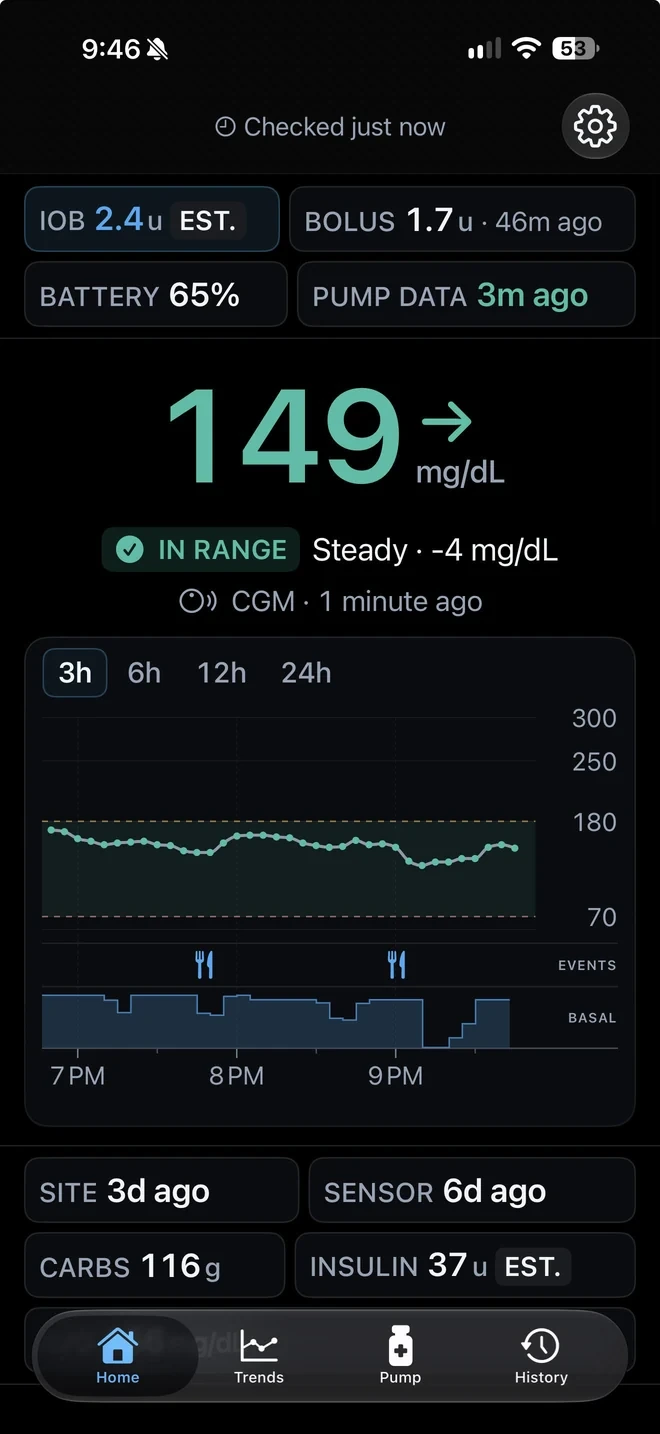
- Home shows the reading with its trend and age, the overview pills, and a chart with meals, corrections, suspends and basal.
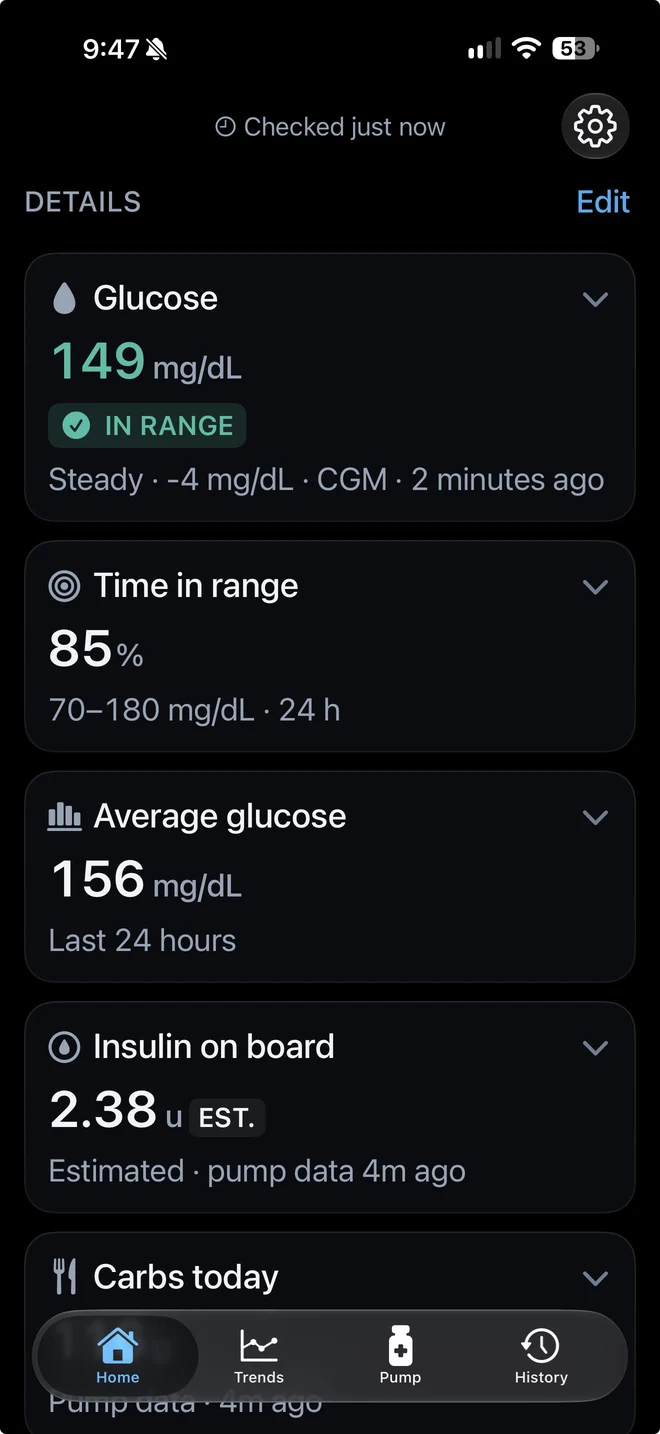
- Tap a card for its details, or tap Edit to reorder and hide cards.
- Tap a marker under the chart to see that meal bolus, correction or suspend.
- Trends, Pump and History are in the tab bar at the bottom.
Adjust Settings
- Units: mg/dL or mmol/L.
- Site change and sensor life: how many days each lasts, so the countdowns match yours.
- Region: United States or Europe, to match your Tandem* account. Changes apply after the app restarts.
- Demo Mode: switch to simulated data at any time. A DEMO bar stays on screen while it's on.
Good to know
Sign out or start over
Settings > Sign out removes your Tandem* sign-in. Settings > Delete all data signs you out and erases everything PumpDash stored on the iPhone.
Accessibility
PumpDash supports VoiceOver and Reduce Motion.
Troubleshooting
If something looks off
My TestFlight invite expired or doesn't open.
Make sure TestFlight is installed, then open the invite on the iPhone. If it still doesn't work, email us for a new one.
The Tandem* sign-in page doesn't load.
Check the iPhone's internet connection, and that the Region in Settings matches your Tandem* account. Region changes apply after the app restarts.
Glucose and pump data only update about once an hour.
Link Sugarmate by Tandem* to Tandem Source* on the pump user's phone, as in step 2 of the main install guide. The pump then uploads about every 5 minutes, and PumpDash picks up the faster rhythm on its own.
More answers on the support page.
Other devices
All install stepsNot a medical device.
PumpDash is not a medical device. Information it displays may be delayed, incomplete, estimated or unavailable. Never use it to calculate insulin doses or make treatment decisions; rely on your pump, CGM, meter, the official manufacturer apps and your healthcare team.
Not affiliated with or endorsed by Tandem Diabetes Care.
PumpDash is an independent app made by Hopes Tinkery LLC. It is not affiliated with, endorsed by, sponsored by or approved by Tandem Diabetes Care, Inc.